Camera & Creator / PRODUCT GUIDE
DJI Mic 3 two-transmitter guide for interviews worth backing up
This DJI Mic 3 bundle has two transmitters, one receiver, a charging case, a locking 3.5 mm camera cable and the USB-C phone adapter. Its transmitter-side recording and timecode are reasons to buy it when you have time to build them into your edit.
As an Amazon Associate I earn from qualifying purchases.
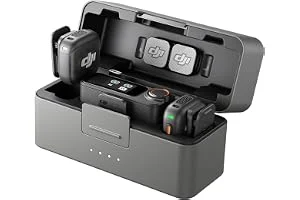
View DJI Mic 3 (2 TX + 1 RX + Charging Case), Wireless Microphone on Amazon (paid link) ↗
Set up the camera feed and backup separately
For a two-person interview, connect the receiver to the camera and check both voices on the recorder before the interview starts. Enable internal recording on both transmitters if you want a local copy. DJI supports 32-bit float or 24-bit on its internal files. Check the camera feed’s levels independently, because the local file format applies to the transmitter recording.
Do a short handoff test with the edit in mind
Label which person wore each transmitter and load a short recording into your editor before relying on the system for a long shoot. DJI’s timecode can be carried in transmitter recordings. Test how the camera and editing software use that information before counting on an automatic match. A clap at the start of a test take gives you another clear sync reference you can check by ear and picture.
Buy the receiver connection you actually need
The included USB-C adapter is for compatible phones and computers. DJI sells its Lightning adapter separately. A recessed port or thick phone case may change the physical fit. For camera use, confirm your camera has a compatible 3.5 mm microphone input. Save a few seconds of test audio on each host and play it back. Ryan did not test this exact kit’s range, battery runtime or editing workflow.
Compare DJI Mic Mini for a compact camera audio feed
The two-transmitter Mic Mini kit is useful for travel when you mainly need sound delivered straight to the camera. It lacks the Mic 3 transmitter-side internal recording workflow. Choose the Mic 3 when you routinely need a local backup or have a plan for using its timecode.
Compare Hollyland LARK M2 for a camera and a USB-C phone
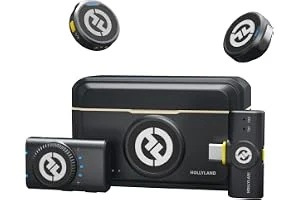
The exact LARK M2 kit ships with those two receiver styles, which can make it simpler to switch between the two devices. Choose it for a straightforward compact feed and use the DJI Mic 3 if local files are part of the delivery plan.
Compare the shopping options
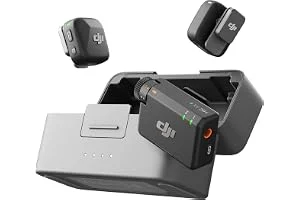
DJI Mic Mini two-transmitter kit — compact camera audio feed
Hollyland LARK M2 Mini Combo — dedicated camera and USB-C receivers
Sources and review basis
Researched November 20, 2026. Ryan’s own experience is attributed where supplied. Other judgments are buying advice based on the cited product information, not a hands-on comparison or laboratory test. Prices and availability are checked at the retailer.