Computers, Tablets & Accessories / PRODUCT GUIDE
Kingston NV3 1TB guide: choosing the right M.2 slot and enough space for your work
The Kingston SNV3S/1000G is a single-sided 1TB M.2 2280 PCIe 4.0 ×4 NVMe drive. Kingston rates this capacity at up to 6,000 MB/s sequential read and 4,000 MB/s write, with a 320 TB written endurance rating. It fits a compatible desktop or notebook where a slim stick and a full terabyte are the priorities.
As an Amazon Associate I earn from qualifying purchases.
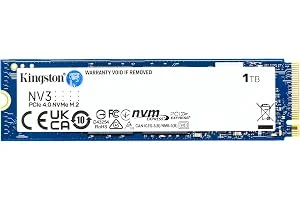
View Kingston NV3 1TB M.2 2280 NVMe SSD on Amazon (paid link) ↗
Read the storage section of the device manual before buying
The 2280 code describes a board about 22 mm wide and 80 mm long. Kingston also sells shorter 2230 NV3 drives, so the name alone does not tell you whether the screw position lines up. Check that your device has an 80 mm mounting point and supports PCIe NVMe in that socket. Some M.2 slots support only SATA or share lanes with other ports. A compatible Gen 3 connection can limit the throughput you get from a Gen 4 drive.
Use the rating for this capacity when comparing drives
The 2TB and 4TB versions of the NV3 list higher write ceilings. The 1TB model’s 6,000 and 4,000 MB/s figures are peak sequential results under Kingston’s stated conditions. They are more useful for comparing short transfers than for predicting an uninterrupted long ingest. Kingston identifies the NAND broadly as 3D. The published spec leaves controller and flash particulars open, so plan around verified capacity, interface and published endurance instead of a component found in one review sample.
Leave room for the actual migration and the next project
For a boot-drive upgrade, check the used capacity on the current disk and how the computer will connect both drives during cloning. The advertised 1TB includes space the OS will present differently, and filling the new drive with its first copy leaves little working room for future updates. For video projects, keep the source media and a separate backup until the cloned drive boots and your editing software can reopen a project. Ryan has not reported measuring this drive’s thermals, sustained writes or cloning performance.
Compare the Lexar NM790 1TB with heatsink for a roomy desktop
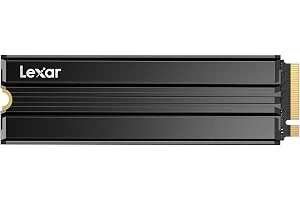
Lexar rates the pictured 1TB NM790 with heatsink B0CGKPPZY9 up to 7,400 MB/s read and 6,500 MB/s write. The included heatsink can suit a desktop slot with clear space above it. Check clearance and the motherboard’s own heat spreader before ordering. The Kingston’s slim single-sided board is easier to accommodate in a notebook with a tight factory cooling arrangement.
Compare the Samsung T7 1TB if the drive should move between computers
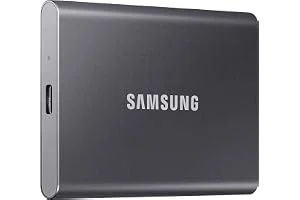
The Samsung T7 B0874XN4D8 is an external USB drive. It makes sense for shuttle copies, a portable media library, or moving a project between a laptop and desktop without opening either one. Its connection has a lower headline limit than the NV3’s internal Gen 4 interface. Choose the NV3 when the target is the machine’s built-in storage, and the T7 when access across machines is the main job.
Compare the shopping options
Lexar NM790 1TB with heatsink — faster-rated internal option with more clearance needs
Samsung T7 1TB — external USB drive for moving files between machines
Sources and review basis
Researched November 20, 2026. Ryan’s own experience is attributed where supplied. Other judgments are buying advice based on the cited product information, not a hands-on comparison or laboratory test. Prices and availability are checked at the retailer.