Computers, Tablets & Accessories / PRODUCT GUIDE
Lexar NM790 1TB with heatsink guide for a PS5 upgrade or a desktop game library
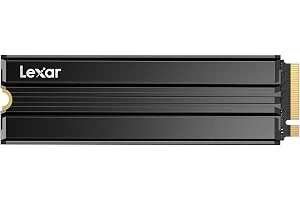
The LNM790X001T-RN9NU is the 1TB Lexar NM790 with a factory heatsink and a PCIe 4.0 ×4 connection. Lexar lists up to 7,400 MB/s sequential read, 6,500 MB/s write and a 1,000 TB written endurance rating for this capacity. Its fit and the space you actually need should drive the buying decision.
As an Amazon Associate I earn from qualifying purchases.
Confirm the 1TB heatsink suffix at checkout
The NM790 name also appears on bare drives and on products with larger capacities. The 001T and RN9NU identifiers mark this specific capacity and heatsink configuration. The 1TB model number on the listing should match the box before you open it. If you want to keep a larger library installed, check how much space your current games already use and price the higher-capacity model separately.
Use the console’s expansion requirements as the checklist
The 2280 board and built-in heatsink align with Sony’s published interface and cooling requirements when installed within its dimensions. Check Sony’s illustration of the bay and follow the instructions for your console. A newly installed drive will prompt for formatting, which erases existing data on that drive. If you move the Lexar out of a PC first, copy off the files you intend to keep before fitting it to the console.
Check desktop clearance and avoid stacking coolers
Some motherboards have their own metal cover and thermal pad over the M.2 connector. Find out whether your board allows that cover to be removed or left off, and check space under nearby graphics hardware. Lexar’s assembled drive is thicker than the bare NVMe stick. The published sequential speeds describe peak transfer behavior; use them alongside capacity and physical fit when deciding on a game library or project drive. Ryan has not reported benchmarking this drive or checking it in a particular chassis.
Compare Crucial P310 when you also want a factory heatsink at 1TB
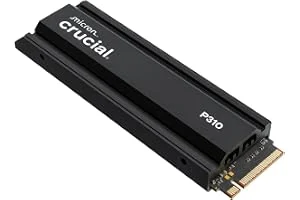
The Crucial P310 1TB B0DQ9K7S1Q provides the same nominal capacity and a factory heatsink. Crucial lists ceilings of 7,100 MB/s read and 6,000 MB/s write. Both models clear Sony’s suggested sequential-read rate on paper. Compare each cooled assembly’s dimensions, actual seller terms and current offer. The listed speed gap alone does not predict how differently your games will load.
Compare Kingston NV3 for a thinner desktop or notebook drive
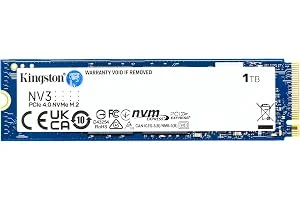
The Kingston NV3 SNV3S/1000G B0DBR3DZWG keeps the 1TB capacity and 2280 interface in a much thinner single-sided board. Kingston rates it up to 6,000 MB/s read and 4,000 MB/s write. It is the better physical fit to investigate when a notebook or a proprietary desktop heat spreader leaves little vertical space. For a console, verify heat dissipation independently before buying a bare drive.
Compare the shopping options
Crucial P310 1TB with heatsink — same-capacity console and desktop alternative
Kingston NV3 1TB — slimmer internal drive for compatible computers
Sources and review basis
Researched November 20, 2026. Ryan’s own experience is attributed where supplied. Other judgments are buying advice based on the cited product information, not a hands-on comparison or laboratory test. Prices and availability are checked at the retailer.
- Lexar official model family and heatsink specifications
- Lexar official per-capacity rated speed and endurance data sheet
- Exact 1TB LNM790X001T-RN9NU listing mapped to B0CGKPPZY9
- Sony official PS5 M.2 fit, cooling and installation requirements
- Crucial P310 exact 1TB heatsink buying guide
- Kingston official 1TB SNV3S/1000G specifications