Camera & Creator / PRODUCT GUIDE
Logitech Brio 101: a simple 1080p webcam with a real privacy shutter
The Brio 101 adds Full HD video, automatic light balancing and a sliding lens cover. Its fixed focus, narrow view and USB-A cable are the details to check before you mount it.
As an Amazon Associate I earn from qualifying purchases.
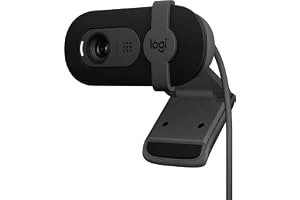
View Logitech Brio 101 webcam (Black) on Amazon (paid link) ↗
Match the Amazon name to the actual part
The linked Amazon item is the black Logitech Brio 101, ASIN B0BXGFFSL1, part number 960-001589. Logitech’s support specification page calls the product Brio 101 and lists its camera details. Some Logitech retail pages use the Brio 100 name for a closely related product family, so check the exact ASIN and part number on a marketplace offer instead of assuming every Brio 100 or 101 package is interchangeable.
1080p at 30 frames per second is the core offer
Logitech lists 1920 × 1080 at 30 fps, plus 720p at 30 fps. That is a sensible ceiling for ordinary meetings and a talking-head call when the laptop camera is poor or the computer sits under a monitor. It is not a 60 fps camera, and its Full HD label alone does not promise a dramatic picture in dim light. Your room, camera placement and meeting software still affect what others see.
Fixed focus and a 58.9-degree view shape the setup
The Brio 101 uses fixed focus and a 58.9-degree diagonal field of view, according to Logitech. Fixed focus means it does not refocus as you move objects toward the lens; this works best when you sit at a fairly steady desk distance. The relatively focused view can keep the frame centered on one person, but it leaves less room for two people or a wide work surface. Adjust the webcam’s position and tilt before your call rather than expecting lens zoom or autofocus to fix framing.
Auto light balance helps, but the room still matters
Logitech specifies RightLight 2 automatic light balance. It can adjust the picture as lighting changes, but it cannot add a soft lamp or remove a bright window behind you. Place a light source in front of you when possible, then check the preview in the app you use. Logitech’s marketing claim about improved brightness is a manufacturer comparison against its C270 in a controlled test; it is not a guarantee for every room, screen or complexion.
A privacy shutter you can see and move
The built-in shutter slides across the lens when the camera is not in use. Logitech’s setup sheet also shows an indicator light that illuminates when an application is using the webcam. Those two physical cues make the privacy routine straightforward: close the shutter after a call and check the light when launching a meeting. The shutter covers the lens; it does not mute the separate microphone by itself.
The built-in mic is for desk-distance calls
Logitech lists a mono microphone with a pickup range up to four feet. That may be convenient for a normal seated call with the camera near the monitor, but it is not a substitute for a dedicated mic when recording a polished video, interviewing someone across a room or working in a noisy space. If you already use a headset or USB microphone, select that device in your meeting app and treat the webcam mic as a backup.
USB-A and the monitor clip are practical constraints
The camera has an attached USB-A cable and a universal monitor clip that can tilt up or down by hand. The cable is not detachable, so check that the computer or dock you plan to use has a free USB-A port; a USB-C-only laptop will need a compatible adapter or hub. A fixed attached cable is convenient for a permanent desk but less flexible if the cable gets damaged or you want to swap its length.
Compare the C920s when you want a wider frame
Logitech’s C920s Pro also records 1080p at 30 fps, but its official page lists a 78-degree field of view and dual microphones. That wider composition can fit more of a room or a second person, while the Brio 101’s 58.9-degree view is more tightly framed. Compare the C920s if framing and stereo mic hardware are worth checking; the Brio 101 is the simpler single-person desk option. Neither comparison is a hands-on test.
When the Brio 101 makes sense
Choose it when you want an external 1080p camera for a fixed workstation, value a physical privacy cover, and have USB-A available. Consider the Logitech C270 if 720p is enough for an inexpensive basic call camera, or the C920s if a wider view and dual microphones matter. Skip the Brio 101 if you need 60 fps, autofocus for showing objects close to the lens, USB-C without an adapter, or a camera you can reposition on a standard tripod. This guide is based on Logitech’s specifications; Ryan has not claimed to own or test this webcam.
Compare the shopping options
Logitech C920s — compare 78-degree view and dual microphones
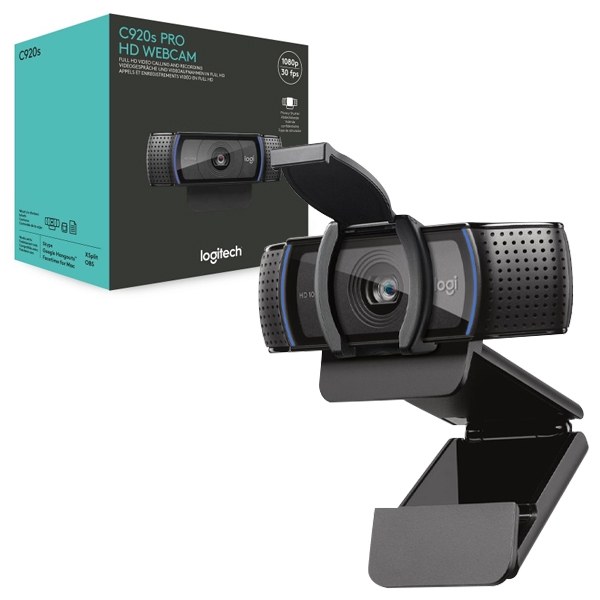
Product photo: GlobalOffice product photo
Logitech C270 — compare a simpler 720p call camera
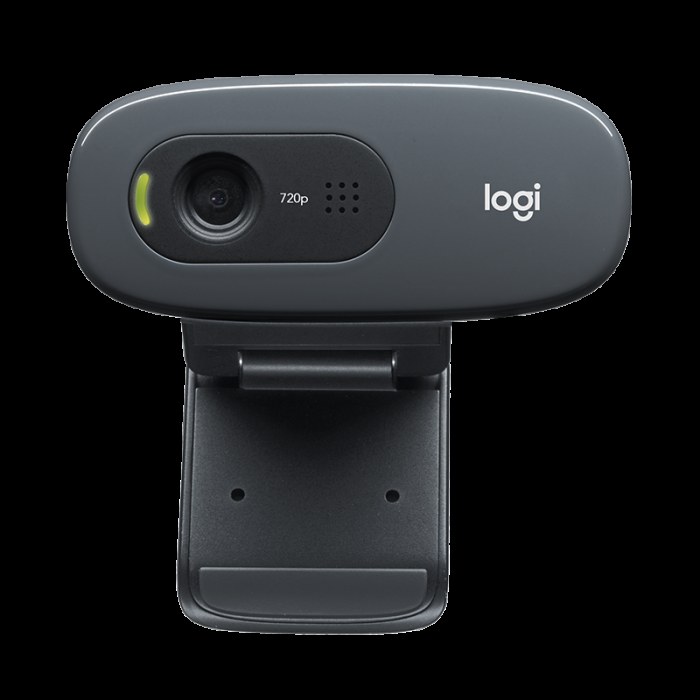
Product photo: Logitech Store Brazil product photo
Sources and review basis
Researched November 18, 2026. Ryan’s own experience is attributed where supplied. Other judgments are buying advice based on the cited product information, not a hands-on comparison or laboratory test. Prices and availability are checked at the retailer.
- Amazon listing for the exact Brio 101 Black ASIN B0BXGFFSL1 (paid link)
- Logitech Brio 101 technical specifications and supported systems
- Logitech Brio 101 setup guide: mount, USB-A connection, status light and privacy shutter
- Logitech C920s Pro official specifications for 1080p, 78-degree field of view and dual mics
- Logitech C270 official 720p webcam description
- Exact Amazon model / part number cross-reference for B0BXGFFSL1
- Product photo: Logitech C920s — compare 78-degree view and dual microphones
- Product photo: Logitech C270 — compare a simpler 720p call camera